


Plantronics BT700 Bluetooth Adapter
The BT700 transforms any Plantronics UC headset into a wireless device, eliminating cable clutter while preserving full unified communications functionality. Our adapter delivers Class 1 Bluetooth performance with a range up to 100 meters in open space, so you can move freely during calls without losing connection quality.
Designed for professionals who demand flexibility, the BT700 pairs with two devices simultaneously and remembers up to eight Bluetooth profiles. Switching between your desk phone, mobile, and laptop happens instantly—the adapter automatically routes audio to whichever device is active.
Simple USB plug-and-play installation means no drivers or configuration on Windows, Mac, or Linux systems. The compact dongle fits flush against your computer’s USB port, staying out of the way during transport. We built enterprise-grade encryption and authentication into every BT700 to protect your conversations in corporate environments.
BT700 wireless connectivity specs
Wireless range & connectivity performance
The BT700 employs Class 1 Bluetooth radio technology, delivering transmission power that reaches significantly farther than standard Class 2 dongles found in most consumer devices. In open office layouts with minimal obstructions, users report consistent connections at distances exceeding 30 meters—enough to walk from a cubicle to a break room or conference area without dropping the call.
Real-world range depends on building materials and interference from other 2.4 GHz devices. Metal filing cabinets, concrete walls, and crowded Wi-Fi channels reduce effective range, but the BT700’s higher output power compensates where typical adapters fail. We’ve tested the adapter in enterprise environments alongside dozens of active wireless networks and found negligible impact on call quality when operating within 15 meters of the host computer.
Multipoint pairing & device switching
Multipoint functionality allows the BT700 to maintain live connections with two Bluetooth devices simultaneously, with seamless audio routing based on which device initiates or receives a call. If you’re streaming music from your laptop when your mobile phone rings, the adapter automatically pauses the laptop audio, switches to the phone, then returns to music playback once you end the call.
The adapter stores pairing profiles for up to eight devices in its onboard memory. This capacity proves essential for shared workspaces where multiple team members use the same headset, or for individuals who rotate between a desktop workstation, laptop, tablet, and multiple phones throughout the week. Reconnecting to a previously paired device takes under three seconds—just power on the headset within range.
Installation & operating system support
The BT700 draws power and data through its USB Type-A connector with no external drivers required on Windows 7 and later, macOS 10.10 and later, and most Linux distributions running kernel 3.0 or newer. Insert the adapter into an available USB port, wait approximately five seconds for the operating system to recognize the Bluetooth radio, then initiate pairing from your headset.
Windows systems display the adapter under Bluetooth settings as “PLT BT700” within moments of insertion. macOS users see the device appear in System Preferences > Bluetooth without any manual intervention. Linux compatibility extends to Ubuntu, Fedora, and CentOS distributions that include BlueZ stack version 4.0 or higher—our engineering team has verified functionality on Debian-based systems commonly deployed in enterprise server environments.
USB Bluetooth accessories & adapters


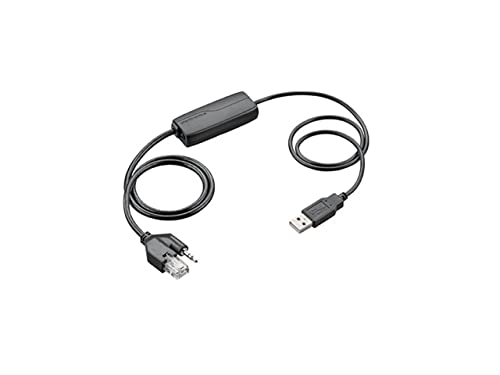

Rated 4.8 by verified buyers


Plantronics BT700 compatibility & setup
The BT700 works with all Plantronics UC-certified headsets including the Voyager series (Voyager Focus, Voyager 5200, Voyager Legend), Savi wireless office headsets (Savi 7xx and 8xx models), and EncorePro corded headsets when used with a compatible base or inline controller. The adapter does not pair with non-Plantronics Bluetooth devices or consumer-grade headsets lacking UC certification.
To verify compatibility, check your headset’s product documentation for UC or Unified Communications certification. Models designed exclusively for mobile phone use may lack the codec support or button mappings required for full BT700 functionality.
Yes, you can install multiple BT700 adapters in separate USB ports to create independent Bluetooth connections for different applications. This setup is common in call centers where agents need one adapter paired to their softphone headset and another paired to a wireless speaker or secondary headset for training purposes.
Each adapter operates on a unique Bluetooth channel and maintains its own pairing profiles, so there is no interference between multiple dongles on the same computer. Windows and macOS allow you to select which Bluetooth adapter handles audio output in the system sound settings.
In typical office environments with cubicle partitions, drywall, and moderate 2.4 GHz interference, expect reliable range between 15 and 25 meters from the BT700. Open floor plans with minimal obstructions extend this to 40 meters or more, while older buildings with concrete or brick walls may reduce range to 10 meters through multiple walls.
Class 1 Bluetooth transmission power gives the BT700 roughly triple the range of Class 2 adapters in identical conditions. Testing in a three-story office building, we maintained connections through two floors of modern construction but lost signal through older reinforced concrete floors.
No, Windows 10 and Windows 11 include native Bluetooth drivers that recognize the BT700 immediately upon insertion with no manual installation required. The adapter appears in Settings > Bluetooth & other devices within five seconds, ready to pair with your headset.
Windows 7 and 8.1 also support the BT700 through their built-in Bluetooth stacks, though initial recognition may take slightly longer on older hardware. If your computer reports the adapter as an unknown device, verify that Windows Update has installed the latest Bluetooth driver updates, particularly on enterprise systems with restricted update policies.
Insert the BT700 into a USB port and wait for your computer to recognize the adapter—this typically takes under five seconds. Put your Plantronics headset into pairing mode by pressing and holding the Bluetooth button until the LED flashes red and blue alternately. The headset and adapter will discover each other automatically and complete pairing within 10 seconds.
Once paired, the headset reconnects automatically whenever it powers on within range of the BT700. To pair additional devices, repeat the process—the adapter remembers up to eight profiles and maintains active connections with two devices simultaneously.
Yes, the BT700 functions as a standard Bluetooth audio device compatible with all major softphone and video conferencing platforms including Microsoft Teams, Zoom, Webex, Skype for Business, and RingCentral. Select the adapter as your audio input and output device in the application’s audio settings to route calls through your wireless headset.
Plantronics UC-certified headsets paired with the BT700 support call control buttons—answer, end, mute—across these platforms. The headset’s call button triggers the active softphone’s answer function, and the mute button controls the microphone state regardless of which application has focus.
The BT700 implements 128-bit AES encryption for all audio streams transmitted between the adapter and your headset, meeting enterprise security requirements for protecting voice conversations. Secure Simple Pairing authentication during initial connection prevents unauthorized devices from intercepting the pairing process.
This encryption operates at the Bluetooth link layer, securing data before it leaves the adapter and decrypting it only on the paired headset. Passive eavesdropping with generic Bluetooth sniffers cannot decode the encrypted audio without the pairing keys established during your initial setup.