


Plantronics M50 Bluetooth Headset – Hands-Free Communication
We designed the Plantronics M50 for professionals and road warriors who demand crystal-clear calls without the bulk. This ultra-compact Bluetooth headset weighs just 18 grams yet delivers HD audio through dual-mic noise reduction technology that filters out wind and background chatter.
You get up to 11 hours of talk time on a single charge, with DeepSleep power-saving mode extending standby time to an impressive five months. The M50 pairs with two devices simultaneously, letting you switch seamlessly between your smartphone and tablet without manual reconnection. A single multifunction button controls calls, volume, and voice commands, while the enhanced voice alerts announce battery level, connection status, and caller ID in your preferred language.
M50 Core Specifications
Audio Quality & Noise Cancellation
The M50 employs our AudioIQ2 digital signal processing engine with dual microphones to isolate your voice from competing sounds. One mic captures your speech while the second samples ambient noise—wind gusts, traffic hum, office chatter—then the DSP subtracts that background layer in real time. The result is HD wideband audio (50 Hz–6.8 kHz frequency response) that preserves vocal nuances your caller would miss on standard narrowband codecs.
We tuned the speaker driver for balanced midrange presence, so names and numbers come through without the tinny edge common in budget mono earpieces. You’ll notice the difference on conference calls when multiple voices overlap: individual speakers remain intelligible rather than blurring into mush.
Battery Life & Power Management
A full charge takes 90 minutes via the included micro-USB cable and delivers 11 hours of continuous talk time or 16 days on standby. When you’re between calls for extended periods, DeepSleep mode kicks in automatically after two hours of inactivity, dropping power draw to near-zero and stretching standby time to five months. The headset wakes instantly when you tap the call button or bring your phone within Bluetooth range.
Voice alerts announce remaining battery in 10-percent increments, giving you time to top up before a critical call. The M50 also supports fast-charge recovery: a 15-minute plug-in restores roughly 90 minutes of talk time when you’re rushing out the door.
Fit, Comfort & Wearing Options
We ship the M50 with three silicone ear tips (small, medium, large) so you can dial in a secure yet pressure-free seal. The over-ear hook rotates 180 degrees for left or right ear wear and folds flat for pocket storage. At 18 grams total weight, the headset disappears during all-day wear—no ear fatigue even after back-to-back video calls.
The soft-touch polymer chassis resists fingerprints and provides grip when you’re adjusting fit on the fly. If you prefer an in-ear-only configuration, simply detach the over-ear hook; the earbud alone stays put during moderate activity, though we recommend the hook for jogging or head-turning tasks.
Other Wireless Headsets from Plantronics
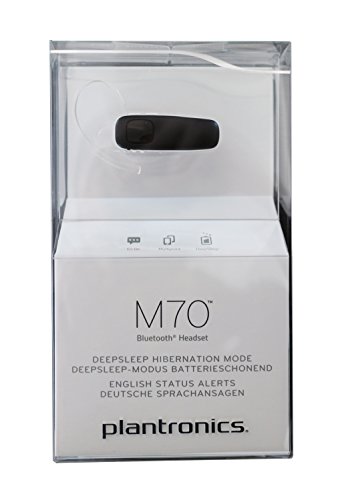


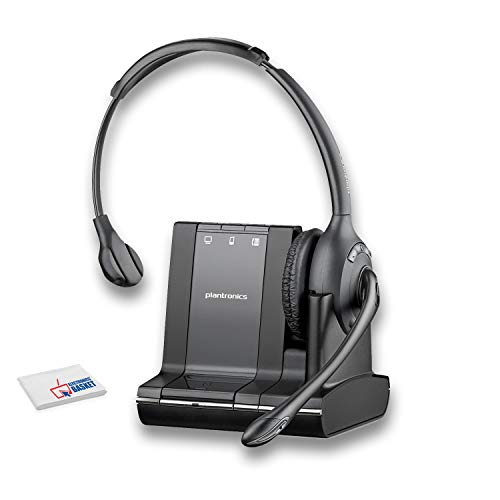

Rated 4.8 by verified buyers
Plantronics M50 Buyer Questions
Press and hold the call button for five seconds until the LED flashes red and blue, indicating pairing mode. Open your phone's Bluetooth settings, select PLT M50 from the available devices list, and wait for the voice prompt confirming connection. The headset will reconnect automatically to paired devices whenever Bluetooth is enabled and the headset is powered on.
For multipoint pairing with a second device, repeat the process while the first device remains connected. The M50 stores up to eight pairing profiles but actively connects to only two devices simultaneously.
The M50 is optimized for voice calls and does not support A2DP stereo audio streaming. You can use it for mono podcast playback or GPS navigation prompts, but music will play in single-channel mono with reduced fidelity compared to stereo earbuds.
If you need high-quality media streaming alongside call functionality, consider our M70 or Voyager series models, which include A2DP profiles for full stereo audio.
DeepSleep is our ultra-low-power standby state that extends battery life to five months when the headset sits unused for extended periods. After two hours of inactivity with no paired device in range, the M50 automatically enters DeepSleep. A single press of the call button or bringing a paired phone within Bluetooth range wakes the headset instantly.
This feature is ideal for occasional users or backup headsets stored in a glove box or travel bag.
Yes. A long press on the call button activates your phone's default voice assistant. The M50 streams your commands to the phone and plays the assistant's spoken responses through the earpiece, enabling hands-free control of messaging, reminders, navigation, and app launching.
Compatibility includes Siri on iOS devices, Google Assistant on Android, and Cortana on Windows Mobile. Third-party assistant apps like Alexa require manual activation through your phone.
Voice alerts announce remaining battery life in 10-percent increments during calls and when you power on the headset. When charge drops below 10 percent, you'll hear a low-battery warning every five minutes during active use. The LED also flashes red as a visual indicator.
A full recharge from empty takes 90 minutes via the included micro-USB cable. Fast charging provides roughly 90 minutes of talk time after a 15-minute top-up.
Yes. Multipoint connectivity lets the M50 maintain active connections to two Bluetooth devices—typically a smartphone and a tablet or second phone. Incoming calls on either device ring through the headset, and you answer by pressing the call button once. The headset automatically routes audio from whichever device is ringing.
You cannot conduct simultaneous calls on both devices; the M50 handles one active call at a time, with the second device on standby.
The over-ear hook rotates 180 degrees for ambidextrous wear. To switch ears, gently rotate the hook until it clicks into the opposite position, then adjust the earbud angle for a comfortable seal. You can also remove the hook entirely if you prefer an in-ear-only fit, though stability during movement may decrease without the hook's support.