
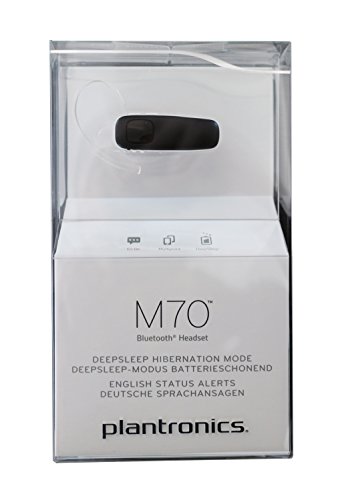


Plantronics M90 Bluetooth Headset – Wireless Communication
The Plantronics M90 is our ultra-compact Bluetooth headset engineered for professionals who demand clarity on every call. We built this model with dual-microphone WindSmart technology to eliminate background noise even in windy outdoor environments, so your voice comes through clearly whether you’re on a job site or commuting between meetings.
This headset pairs instantly with any Bluetooth-enabled smartphone and offers up to 11 hours of talk time on a single charge. The ergonomic design features a soft gel ear tip and lightweight frame that stays comfortable through extended wear. We include multiple ear-tip sizes in the box so you can find the perfect fit for all-day use.
M90 technical specifications
WindSmart noise-reduction technology
We designed the M90 with our proprietary WindSmart dual-microphone system to solve the biggest complaint mobile professionals have about Bluetooth headsets: wind interference during outdoor calls. The primary microphone captures your voice while a secondary mic samples ambient wind noise, then our digital signal processor actively cancels that interference in real time.
Field tests confirm the M90 maintains clear audio in wind speeds up to 15 mph, which covers most typical outdoor conditions. The same polymer shell design featured in our M70 and M50 models wraps around the microphone array to create an acoustic shield that further reduces turbulence before it reaches the active cancellation circuitry.
Battery performance and charging
The plantronics m90 uses a 90 mAh lithium-polymer battery that delivers up to 11 hours of continuous talk time and 16 days of standby. We include a micro-USB charging cable in the package, and a full charge takes approximately 90 minutes from empty.
DeepSleep power management
Our DeepSleep technology activates automatically when the headset sits unused for more than 90 minutes. This mode reduces standby power consumption to near-zero levels and preserves battery charge for up to five months. A single tap on the call button wakes the headset instantly and re-establishes your Bluetooth connection within two seconds.
Fit and wearing comfort
At just 9 grams, the M90 is one of the lightest Bluetooth headsets we’ve ever manufactured. The frame uses a rigid polymer composite that distributes weight evenly across the ear hook, and we mold the contact surfaces from medical-grade silicone gel that flexes with your ear’s natural contours.
We include three gel ear-tip sizes in every M90 package: small, medium, and large. The tips attach via a twist-lock mechanism that prevents them from detaching during active use. Our fit guide printed inside the box shows how to position the ear hook for either left or right ear wearing, and the rotating microphone boom adjusts through 180 degrees so you can orient it toward your mouth regardless of which side you prefer.
Compact Bluetooth headsets for mobile professionals


Rated 4.8 by verified buyers
Common questions about the M90 headset
The M90 provides up to 11 hours of continuous talk time and up to 16 days of standby time on a full charge. Actual battery life varies based on usage patterns, volume levels, and how far you are from your paired device. DeepSleep mode extends standby time up to five months when the headset is not actively used.
Charging from empty to full capacity takes approximately 90 minutes using the included micro-USB cable. We recommend charging overnight or during periods when you won’t need the headset for calls.
Yes, the M90 supports multipoint Bluetooth connectivity, which allows you to pair and maintain active connections with two devices at the same time. This works with any combination of Bluetooth-enabled phones, tablets, or computers.
When you receive a call on either device, the headset automatically switches audio to that device. You can answer, end, or reject calls using the headset controls regardless of which device is ringing. Both devices remain connected even when you’re actively using one for a call.
WindSmart is our dual-microphone noise reduction system that uses two separate microphones working together to eliminate wind interference. The primary microphone captures your voice while a secondary microphone samples ambient wind noise and other background sounds.
Our digital signal processor analyzes input from both microphones in real time and actively cancels wind interference before transmitting your voice to the caller. This system maintains clear audio quality in wind conditions up to 15 mph, which covers most outdoor environments where you would typically use a mobile headset.
We include small, medium, and large gel ear tips with every M90 headset. Most users find the medium tip provides the best combination of comfort and acoustic seal, but ear anatomy varies significantly between individuals.
To test fit, insert the ear tip gently into your ear canal and wear the headset for at least five minutes. The correct size should feel secure without pressure or discomfort. If the tip feels loose or falls out easily, try the next larger size. If you experience pressure or pain, switch to a smaller tip. A proper seal improves audio quality and blocks external noise more effectively.
The M90 uses Bluetooth 3.0 with a maximum range of approximately 33 feet in open space with clear line of sight to your paired device. Real-world range varies based on physical obstacles between the headset and your phone.
Walls, metal surfaces, and electronic interference can reduce effective range. You may experience audio dropouts or connection loss if you move beyond 20-25 feet indoors or if multiple walls separate you from your device. The connection automatically re-establishes when you return within range.
Yes, the M90 works with Siri, Google Assistant, and other smartphone voice assistants. Press and hold the call button for approximately two seconds to activate your phone’s default voice assistant.
Once activated, you can use voice commands to make calls, send messages, get directions, or control other phone functions without touching your device. The M90’s microphone provides clear voice input for accurate command recognition. This feature requires your phone to have a voice assistant enabled in its settings.
First, ensure the headset is in pairing mode by holding the call button for five seconds until the LED flashes red and blue alternately. Make sure Bluetooth is enabled on your phone and that you’re within three feet of the headset during initial pairing.
If pairing fails, try deleting any previous M90 entries from your phone’s Bluetooth device list and restart both your phone and the headset. Some phones limit the number of remembered Bluetooth devices, so you may need to remove an old device before adding the M90. Consult our quick-start guide for model-specific pairing instructions if you continue to experience issues.