


Plantronics Explorer 50 Bluetooth Headset
The Plantronics Explorer 50 is our ultra-portable Bluetooth headset designed for drivers, remote workers, and anyone who needs a reliable hands-free connection on the go. Weighing less than 10 grams, it delivers crisp call quality without the bulk of traditional headsets.
We engineered this model with a single multifunction button for easy call management, a noise-reducing microphone, and a battery that powers up to 11 hours of talk time. The soft gel eartip provides all-day comfort, and the OpenMic button lets you hear your surroundings when needed. Whether you’re commuting, working from a home office, or running errands, the Explorer 50 keeps your hands free and your voice clear.
Core specifications
Lightweight Construction & All-Day Comfort
At just 9.5 grams, the Explorer 50 is one of the lightest headsets in our lineup. The polycarbonate shell keeps weight down while maintaining durability for daily use. We include three sizes of soft silicone gel eartips in the box—small, medium, and large—so you can find the fit that stays secure without pressure.
The adjustable earhook rotates 180 degrees, letting you wear the headset on either ear. The gel tip rests gently in the outer ear canal rather than sealing deeply, which many users find more comfortable for extended wear. Whether you’re on back-to-back conference calls or wearing it throughout a long drive, the Explorer 50’s minimalist design reduces fatigue.
Noise Reduction & Voice Clarity
We built the Explorer 50 with a dual-layer noise-reducing microphone that filters out background hum from traffic, HVAC systems, and office chatter. The mic boom positions the capsule close to your mouth, capturing your voice while rejecting ambient noise from behind and to the sides.
Bluetooth 4.1 with wideband audio support ensures your voice is transmitted at higher fidelity than older headsets, making it easier for the person on the other end to understand you in noisy environments. The OpenMic feature lets you tap a button to briefly amplify ambient sound through the speaker—helpful when a barista asks for your order or you need to hear an announcement without removing the headset.
Battery Life & Charging
A single charge delivers up to 11 hours of continuous talk time or 16 days on standby. We ship the Explorer 50 with a compact USB charging cable that plugs into any computer, car adapter, or wall charger with a USB port. A full charge takes about 90 minutes, and a quick 15-minute charge gives you roughly two hours of talk time when you’re in a hurry.
Voice prompts announce remaining battery level when you power on, so you’ll know whether to top up before a long meeting. The LED indicator on the side of the headset glows red while charging and turns off when the battery is full.
More Wireless Headsets From Plantronics

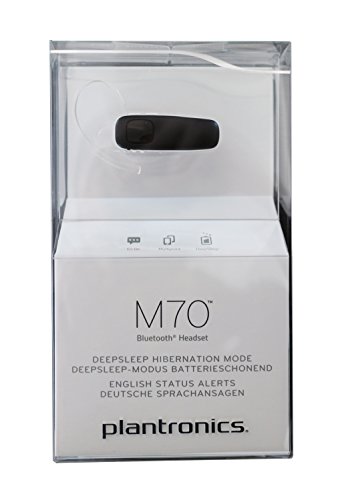


Rated 4.8 by verified buyers
Common Questions About the Explorer 50
Turn off the headset if it’s already on. Press and hold the multifunction button until the LED flashes red and blue, indicating pairing mode. On your phone, open Bluetooth settings and select Explorer 50 from the list of available devices. Once connected, you’ll hear a voice prompt confirming the pairing.
The headset will remember your phone and reconnect automatically the next time you power it on within range.
The Explorer 50 does not support true multipoint pairing for simultaneous connections. It pairs with one device at a time, but you can manually switch by disconnecting from the first device and pairing with a second.
If you need to manage calls on two phones regularly, consider our Voyager series headsets, which offer multipoint connectivity.
The Explorer 50 maintains a stable connection up to 33 feet (10 meters) from your paired device in open space. Walls, furniture, and interference from other wireless devices can reduce effective range.
For best performance, keep your phone in the same room or within line of sight when possible.
While wearing the headset, press the OpenMic button located on the underside of the earpiece. You’ll hear ambient sound amplified through the speaker, allowing you to hear conversations or announcements without removing the headset. Press the button again to return to normal mode.
This feature is especially helpful in drive-throughs, security checkpoints, or when someone nearby needs your attention.
The Explorer 50 is not rated for water resistance and should not be exposed to rain, sweat, or moisture. If you need a headset for outdoor workouts or humid environments, we recommend looking at models with an official IP rating for splash or sweat protection.
For everyday office and car use, the Explorer 50’s standard build is perfectly adequate.
Yes, replacement eartip kits are available separately and fit the Explorer 50’s earbud nozzle. We recommend replacing eartips every 6 to 12 months depending on use, as the silicone can lose elasticity over time.
You can order replacements through our website or from authorized retailers.
Yes. Press and hold the multifunction button for about two seconds to activate your phone’s default voice assistant. You can then issue commands like “Call Mom,” “Navigate to the nearest gas station,” or “Read my text messages” without touching your phone.
This feature works with Siri on iOS devices, Google Now or Google Assistant on Android, and Cortana on Windows phones.